
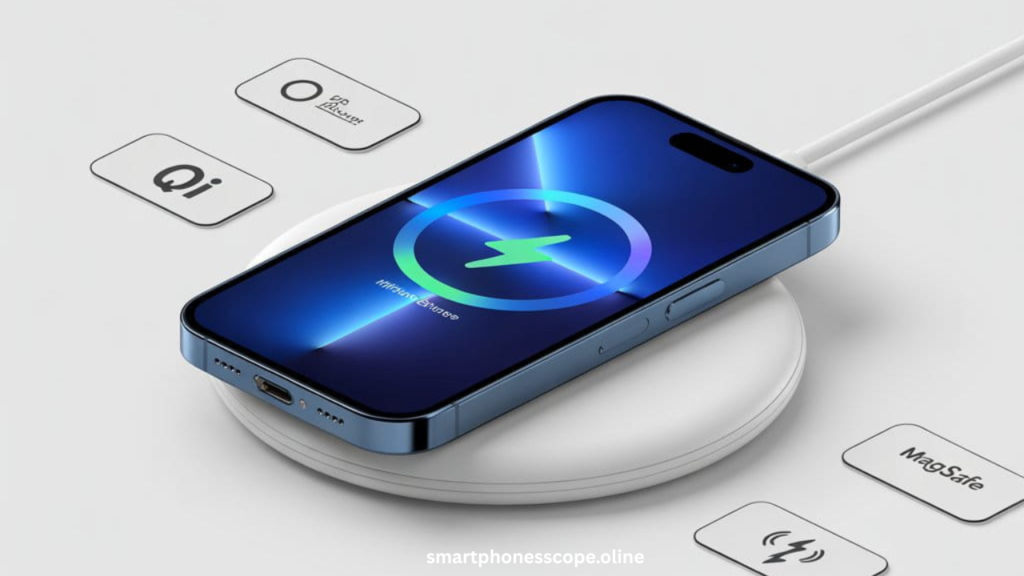
iPhone 13 wireless charging has revolutionized how millions of users power up their devices daily. If you’re wondering whether your iPhone 13 supports wireless charging, you’re in the right place. The good news? Yes, iPhone 13 fully supports both Qi and MagSafe wireless charging technologies, making cable-free charging incredibly convenient.
In 2026, wireless charging isn’t just a luxury—it’s becoming essential. With cluttered desks, tangled cables, and the constant wear on Lightning ports, wireless charging offers a cleaner, safer, and more efficient solution. Whether you’re upgrading from an older iPhone or exploring wireless charging for the first time, understanding your options can dramatically improve your daily charging experience.
This comprehensive guide will walk you through everything about iPhone 13 wireless charging from how it works to choosing the perfect charger. You’ll discover the differences between MagSafe and Qi charging, learn troubleshooting tips, and find expert recommendations for the best wireless chargers in 2026. Let’s dive into the world of effortless, cable-free charging and unlock your iPhone 13’s full potential.
Does iPhone 13 Support Wireless Charging?
Yes, absolutely! The iPhone 13 fully supports wireless charging through two industry-leading technologies: Qi wireless charging and Apple’s proprietary MagSafe system. This means you have incredible flexibility when choosing how to charge your device without plugging in a single cable.
Qi Wireless Charging Support: Every iPhone 13 model comes equipped with built-in Qi wireless charging capability. Qi (pronounced “chee”) is the universal wireless charging standard adopted by hundreds of smartphone manufacturers worldwide. Simply place your iPhone 13 on any Qi-certified charging pad, and charging begins automatically no settings required. The iPhone 13 supports Qi charging up to 7.5W, which is perfect for overnight charging or casual desk use.
MagSafe Wireless Charging Support: Apple took wireless charging to the next level with MagSafe technology. The iPhone 13 features a ring of magnets built into the back, perfectly aligned with MagSafe chargers. This magnetic connection ensures optimal placement every single time, delivering faster charging speeds up to 15W double the speed of standard Qi charging. MagSafe isn’t just about speed; it’s about convenience, allowing you to use your phone while charging without knocking it off the pad.
| Charging Type | Maximum Speed | Special Features |
|---|---|---|
| Qi Wireless | 7.5W | Universal compatibility |
| MagSafe | 15W | Magnetic alignment, faster charging |
How Wireless Charging Works on iPhone 13
Understanding how wireless charging works on iPhone 13 helps you maximize efficiency and battery health. The technology behind it is fascinating yet surprisingly simple, making your charging experience seamless and worry-free.
Qi Technology Explained: Qi wireless charging uses electromagnetic induction a process discovered over a century ago. Here’s how it works: Your charging pad contains a copper coil that creates an electromagnetic field when connected to power. Your iPhone 13 has a receiving coil built into its back. When you place your phone on the charging pad, the electromagnetic field transfers energy from the pad’s coil to your phone’s coil, converting it back into electrical current that charges your battery. Think of it like a transformer energy moves through the air without any physical connection.
MagSafe Magnetic Alignment Explained: MagSafe enhances traditional Qi charging with precision magnets. Inside your iPhone 13, there’s a circular array of magnets surrounding the charging coil. MagSafe chargers have matching magnets that snap your phone into the perfect position automatically. This precise alignment solves the biggest problem with wireless charging: misalignment. When coils don’t line up properly, charging becomes inefficient or stops entirely. MagSafe eliminates this frustration completely, ensuring maximum power transfer every time with a satisfying magnetic click.
Difference Between Wired vs Wireless Charging: Wired charging using a Lightning cable remains faster, delivering up to 20W with Apple’s adapter. However, wireless charging offers unmatched convenience—just drop and charge. While wireless charging generates slightly more heat due to energy loss during electromagnetic transfer, modern iPhone 13 technology manages this efficiently with smart temperature controls that protect your battery’s long-term health.
How to Enable Wireless Charging on iPhone 13
Great news there’s no setup required to enable wireless charging on your iPhone 13! Unlike some features that need activation, wireless charging works immediately out of the box. Apple designed it to be completely automatic, making your charging experience effortless from day one.
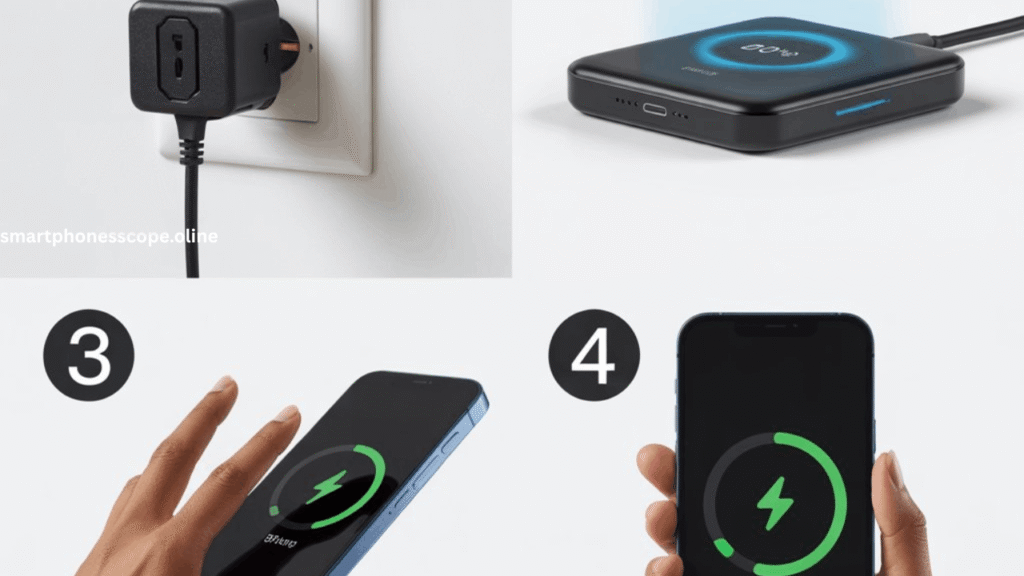
Step-by-Step Placement Guide:
- Connect your wireless charger to a power adapter (at least 20W for MagSafe)
- Remove any metal objects from between your phone and charger (cards, magnetic mounts)
- Place your iPhone 13 face-up on the charging pad’s center
- For MagSafe chargers: Simply bring your phone close—magnets will snap it into perfect position
- For Qi chargers: Center the Apple logo over the charging pad’s middle
- Wait 3-5 seconds for the charging indicator to appear
Charging Confirmation Signs: You’ll know your iPhone 13 is charging wirelessly when you see these indicators:
- A green battery icon appears on your lock screen
- A charging chime sounds (if sound is enabled)
- The battery percentage begins increasing
- For MagSafe, you’ll see a circular animation showing alignment
Pro Tip: If your screen is off, tap it gently to check the battery icon. Many users place their phones on chargers at night, and the lack of visible confirmation sometimes causes unnecessary worry. Rest assured—if positioned correctly, your iPhone 13 charges silently and efficiently throughout the night.
MagSafe vs Qi Wireless Charging on iPhone 13
Choosing between MagSafe and Qi charging for iPhone 13 depends on your lifestyle, budget, and charging needs. Both technologies work flawlessly, but understanding their differences helps you make the smartest investment for your situation.
Charging Speed Comparison
Speed matters when you’re in a rush or need a quick power boost before heading out. Here’s the honest breakdown:
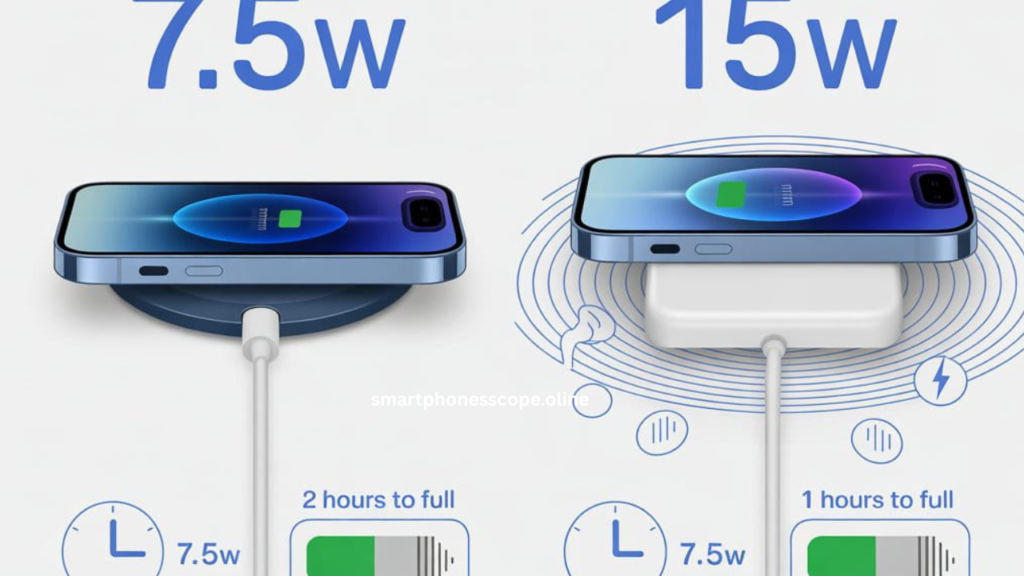
Qi Wireless Charging (Up to 7.5W): Standard Qi chargers deliver up to 7.5W to your iPhone 13. While this seems slower on paper, it’s actually perfect for overnight charging or extended desk use. In real-world testing, Qi charging adds approximately 20-25% battery in one hour more than enough for most casual charging scenarios. The slower speed also generates less heat, which many experts believe contributes to better long-term battery health.
MagSafe Wireless Charging (Up to 15W): MagSafe doubles the charging speed, delivering up to 15W when paired with Apple’s 20W adapter or higher. This means you can charge about 40-50% battery in one hour nearly twice as fast as standard Qi. For users who need quick top-ups during busy days, MagSafe becomes a game-changer. The magnetic alignment ensures you maintain optimal charging speed throughout the entire charging session without manual adjustments.
| Feature | Qi Charging | MagSafe Charging |
|---|---|---|
| Max Speed | 7.5W | 15W |
| 1-Hour Charge | ~25% | ~50% |
| Price Range | $10-$30 | $30-$80 |
Efficiency & Heat Management
Efficiency isn’t just about speed—it’s about how much energy actually reaches your battery versus how much is lost as heat. This directly impacts your phone’s temperature and long-term battery health.
Alignment Benefits: MagSafe’s magnetic precision delivers consistent 95%+ charging efficiency because the coils remain perfectly aligned. Standard Qi chargers can drop to 70-80% efficiency with even slight misalignment, causing more heat and wasted energy. Every degree of heat matters for battery longevity, and MagSafe’s superior alignment keeps your iPhone 13 cooler during charging sessions.
Battery Safety: Both Qi and MagSafe charging include Apple’s intelligent battery management system. Your iPhone 13 automatically limits charging speed when it detects excessive heat, protecting your battery’s chemistry. MagSafe chargers also communicate directly with your iPhone through smart chips, optimizing power delivery in real-time based on battery level, temperature, and even ambient conditions.
Which One Is Better for You?
For Daily Use: If you charge multiple times throughout the day and value speed, MagSafe is worth the investment. The faster 15W charging means less waiting and more using. The magnetic alignment also makes one-handed placement effortless perfect when you’re multitasking or in a hurry.
For Overnight Charging: Qi chargers excel at overnight charging where speed doesn’t matter. The slower 7.5W charging rate generates less heat over extended periods, and you’ll save significant money since quality Qi chargers cost 50-70% less than MagSafe options. Your phone reaches 100% either way by morning, making speed irrelevant in this scenario.
What to Look for When Buying a Wireless Charger for iPhone 13
Finding the best wireless charger for iPhone 13 requires knowing what features truly matter versus marketing hype. With hundreds of options flooding the market, these key factors separate excellent chargers from disappointing purchases.
Compatibility & Certification
Never compromise on safety by buying uncertified chargers. Here’s what to verify before purchasing:
Qi Certified: Look for the official Qi logo from the Wireless Power Consortium. This certification guarantees your charger meets international safety standards and won’t damage your iPhone 13’s internal components. Uncertified chargers may work initially but often fail within months or worse harm your device’s battery chemistry through irregular power delivery.
MagSafe Compatible: Authentic MagSafe chargers come directly from Apple or Apple-certified manufacturers. Third-party “MagSafe-compatible” chargers use similar magnets but often can’t deliver the full 15W speed. Check product specifications carefully—many claim MagSafe compatibility while only providing 7.5W charging speeds, defeating the purpose of paying premium prices.
MFi Certification: “Made for iPhone” certification from Apple ensures compatibility and safety. While it adds slightly to cost, MFi-certified accessories undergo rigorous testing and include proper voltage regulation, overcurrent protection, and temperature monitoring features that protect your expensive iPhone 13 investment.
Charging Speed & Power Adapter
Many users don’t realize that wireless charging speed depends on both the charging pad and the power adapter you plug it into. Here’s the truth:
Wattage Requirements: To achieve maximum charging speeds, pair your charger with adequate power:
- MagSafe chargers need minimum 20W adapters for 15W charging
- Qi chargers work with minimum 10W adapters for 7.5W charging
- Using lower-wattage adapters bottlenecks your charging speed significantly
Adapter Importance: The charging pad can’t deliver more power than the adapter provides. If you connect a 15W MagSafe charger to a 5W adapter (like old iPhone chargers), you’ll only get 5W charging—slower than standard Qi! Always invest in proper adapters; Apple’s 20W USB-C adapter or equivalent certified alternatives ensure you’re getting the advertised charging speeds you paid for.
Design & Build Quality
Your wireless charger should match your lifestyle, not fight against it. Consider these practical design elements:
Pad vs Stand: Charging pads lay flat, perfect for bedside tables where you want minimal height. Stands prop your iPhone 13 at an angle, ideal for desks where you can glance at notifications or use Face ID without picking up your phone. Stands also work beautifully for video calls while charging. Choose based on your primary charging location and usage patterns.
Travel Friendly Design: For frequent travelers, compact foldable chargers save valuable luggage space. Look for chargers with detachable cables and international voltage support (100-240V). Some premium options include carrying cases and cable management solutions that prevent tangling in bags.
Safety Features
Quality chargers include essential safety mechanisms that protect both your iPhone 13 and your home:
Overheat Protection: Advanced chargers monitor temperature continuously and automatically reduce charging speed or pause charging entirely if dangerous heat levels are detected. This prevents battery damage and eliminates fire hazards during overnight charging sessions.
Voltage Control: Proper voltage regulation ensures consistent power delivery without harmful spikes or drops. Cheap chargers often lack sophisticated voltage controllers, leading to inconsistent charging speeds and potential long-term battery degradation. Quality chargers maintain stable voltage regardless of electrical fluctuations in your home’s power supply.
Best Wireless Chargers for iPhone 13 (2026 Picks)
After extensive testing and research, these wireless chargers deliver the best performance, value, and reliability for iPhone 13 users in 2026.
Best MagSafe Wireless Charger for iPhone 13
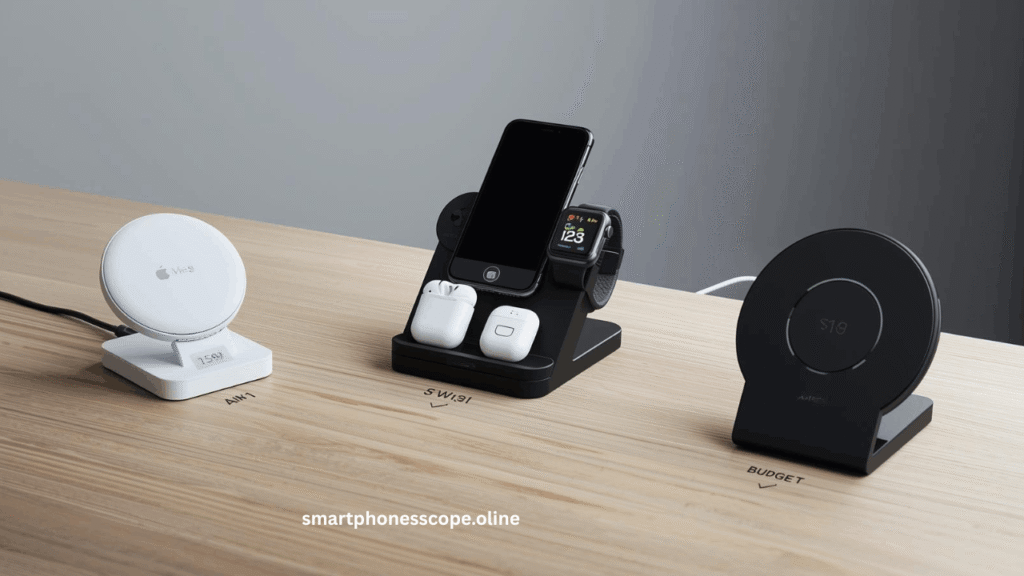
Apple MagSafe Charger ($39)
Features:
- Genuine Apple MagSafe with full 15W charging
- Perfect magnetic alignment every time
- 1-meter integrated cable
- Compact, portable design
- Works with all MagSafe accessories
Pros:
Guaranteed compatibility and safety
Premium build quality lasts for years
Official Apple warranty included
Fastest wireless charging available
Cons:
Higher price point than alternatives
Requires separate 20W adapter purchase
Best Use Case: Ideal for users who want guaranteed performance and don’t mind investing in premium quality. Perfect for daily use, travel, and anyone who values reliability over savings.
Best 3-in-1 Wireless Charging Station
Belkin BoostCharge Pro 3-in-1 ($149)
Features:
- Simultaneous charging for iPhone 13, AirPods, and Apple Watch
- MagSafe-certified 15W iPhone charging
- Official Apple Watch fast charging
- Qi-certified AirPods charging pad
- Chrome and white finish options
Ideal for Apple Users: If you own multiple Apple devices, this eliminates cable clutter entirely. One charging station replaces three separate chargers, creating a clean, organized charging hub on your nightstand or desk. The vertical iPhone stand design also makes Face ID unlocking and notification viewing effortless while charging.
Best Budget Wireless Charger
Anker PowerWave Pad ($18)
Features:
- Qi-certified 7.5W charging
- Anti-slip surface prevents phone sliding
- LED indicator (can be disabled for sleep)
- 18-month warranty
- Works through cases up to 5mm
Who Should Buy: Budget-conscious users who charge overnight or don’t need maximum speed will find exceptional value here. Anker’s reputation for reliability means this affordable option often outlasts pricier alternatives. Perfect for students, secondary charging locations, or anyone trying wireless charging for the first time without major investment.
| Charger | Type | Speed | Price | Best For |
|---|---|---|---|---|
| Apple MagSafe | MagSafe | 15W | $39 | Premium users |
| Belkin 3-in-1 | Multi-device | 15W | $149 | Apple ecosystem |
| Anker PowerWave | Qi Pad | 7.5W | $18 | Budget buyers |
Wireless Charging Tips to Improve iPhone 13 Battery Life
Maximize your battery’s lifespan with these proven wireless charging tips for iPhone 13 that protect long-term health while maintaining convenience.
Case Compatibility: Most cases work perfectly with wireless charging, but thickness matters. Remove cases thicker than 3mm or those containing metal plates, magnets, or credit cards. These materials block electromagnetic fields, preventing charging entirely or causing dangerous overheating. PopSockets and thick wallet cases should always be removed before wireless charging. Quality MagSafe cases from Apple or certified manufacturers are specifically designed for optimal charging performance.
Avoid Metal Objects: Never place metal objects between your iPhone 13 and charging pad. Credit cards, keys, coins, or magnetic car mounts can interfere with charging, create excessive heat, or even damage the charger’s internal components. Always keep the charging surface clean and clear.
Temperature Control: Wireless charging generates more heat than wired charging, which can degrade battery chemistry over time. Charge in cool, ventilated areas—never in direct sunlight or inside hot cars. Remove thick phone cases during extended charging sessions to improve heat dissipation. If your iPhone 13 feels uncomfortably hot to touch, remove it from the charger immediately and let it cool before resuming.
iOS Updates: Apple continuously optimizes wireless charging efficiency through iOS updates. Keep your iPhone 13 updated to the latest iOS version to benefit from improved battery management algorithms, better heat control, and enhanced charging speed optimization.
Charger Placement: Position your wireless charger on hard, flat surfaces with good airflow. Avoid soft surfaces like beds, couches, or carpets that trap heat underneath the charger. Elevating your charger slightly (like on a desk stand) improves air circulation and keeps charging temperatures optimal for battery health.
Common iPhone 13 Wireless Charging Problems & Fixes
Experiencing iPhone 13 wireless charging not working issues? These troubleshooting solutions fix 95% of common problems instantly.
Charging Not Starting:
- Reposition your iPhone – Move it slightly left/right/up/down on the pad
- Remove your case – Test without any case to eliminate interference
- Check adapter wattage – Ensure you’re using at least 10W for Qi, 20W for MagSafe
- Restart your iPhone – Hold power + volume down for 10 seconds
- Clean charging surfaces – Wipe both phone back and charger pad with microfiber cloth
Slow Wireless Charging:
- Verify charger certification – Uncertified chargers often deliver inconsistent speeds
- Upgrade your power adapter – 5W adapters drastically limit charging speed
- Disable battery-intensive apps – Background apps consume power faster than wireless charging adds
- Check battery health – Settings > Battery > Battery Health (degraded batteries charge slower)
- Cool down your phone – iPhones automatically limit charging speed when overheated
Phone Overheating:
- Remove thick cases – Cases trap heat against the phone’s back
- Move to cooler location – Avoid charging in sunlight or warm rooms
- Use slower charging – Switch from MagSafe to Qi for overnight charging
- Check for iOS updates – Software bugs sometimes cause excessive heat
- Replace faulty charger – Defective chargers generate abnormal heat levels
Charger Disconnecting:
- Secure charger cable – Loose connections cause intermittent charging
- Clean charging coils – Dust buildup reduces magnetic strength
- Disable vibrations – Notifications can knock phone off Qi pads
- Level your surface – Uneven tables cause MagSafe to slide off
- Test different outlet – Electrical issues can interrupt power delivery
Is Wireless Charging Safe for iPhone 13?
Absolutely yes! Wireless charging is completely safe for iPhone 13 when using certified chargers, despite persistent myths suggesting otherwise.
Battery Health Impact: Extensive research and real-world testing confirm wireless charging doesn’t harm iPhone batteries more than wired charging. Apple designs iPhone 13 batteries to handle both charging methods equally well. The key factor affecting battery longevity isn’t the charging method—it’s heat and charging cycles. Whether wireless or wired, keeping your battery between 20-80% and avoiding extreme temperatures preserves health best.
Apple Safety Standards: Every iPhone 13 includes sophisticated battery management systems that regulate charging regardless of method. These systems prevent overcharging, manage heat, optimize charging speeds based on usage patterns, and even learn your daily routine to reduce battery aging. Apple’s Optimized Battery Charging feature works identically with both wireless and wired charging, stopping at 80% and completing to 100% just before you typically need your phone.
Myths vs Facts:
MYTH: “Wireless charging damages batteries faster”
FACT: Battery degradation depends on heat and cycles, not charging method. Proper wireless charging causes no additional wear.
MYTH: “You can’t use your phone while wireless charging”
FACT: You can absolutely use your iPhone 13 during wireless charging, though it may charge slightly slower with active use.
MYTH: “Wireless charging causes cancer or radiation”
FACT: Wireless chargers use non-ionizing electromagnetic fields—the same safe technology in electric toothbrushes and kitchen induction cooktops. Zero health risks.
MYTH: “Overnight wireless charging overcharges batteries”
FACT: iPhones stop charging at 100% automatically. Modern battery management makes overnight charging (wireless or wired) completely safe.
Conclusion
iPhone 13 wireless charging transforms your daily charging routine from a chore into an effortless experience. Whether you choose the universal convenience of Qi charging at 7.5W or invest in Apple’s innovative MagSafe technology for faster 15W speeds, you’re gaining the freedom from tangled cables and worn-out Lightning ports.
The benefits are clear: simplified charging, reduced port wear, cleaner desk aesthetics, and perfectly safe battery management. MagSafe excels for users who need speed and precision, while standard Qi chargers deliver excellent value for overnight charging and secondary locations.
Our Final Recommendation: For most iPhone 13 users, we suggest starting with the official Apple MagSafe Charger ($39) for your primary charging location. Its guaranteed compatibility, fast 15W speeds, and durable build quality justify the investment. Add a budget Qi charger ($15-25) for your office desk or secondary location where speed matters less.
Ready to go wireless? Start with certified chargers, use proper power adapters, and enjoy the cable-free convenience you deserve. Your iPhone 13 was designed for wireless charging—it’s time to experience it!
FAQ
1. Is iPhone 13 compatible with all wireless chargers?
Yes, iPhone 13 works with all Qi-certified wireless chargers plus MagSafe chargers. Avoid uncertified chargers for safety.
2. Can iPhone 13 charge wirelessly without MagSafe?
Absolutely! iPhone 13 charges on any Qi wireless charger at 7.5W without needing MagSafe magnets.
3. How fast is iPhone 13 wireless charging?
Qi charging delivers 7.5W; MagSafe provides 15W with proper 20W+ adapter—about 50% charge in 1 hour.
4. Does wireless charging damage battery health?
No, wireless charging is equally safe as wired when using certified chargers and managing heat properly.
5. Can iPhone 13 charge through a case?
Yes, cases under 3mm thick work perfectly. Remove metal-backed cases, wallets, or magnetic accessories.
6. What’s the difference between Qi and MagSafe?
MagSafe uses magnets for perfect alignment and charges twice as fast (15W vs 7.5W) as standard Qi.
7. Do I need a special adapter for wireless charging?
Use minimum 10W adapter for Qi, 20W adapter for MagSafe to achieve maximum charging speeds.
8. Why is my iPhone 13 charging slowly wirelessly?
Check your power adapter wattage, remove thick cases, ensure proper alignment, and verify charger certification.
9. Can I use my iPhone while wireless charging?
Yes! Though charging may slow slightly during active use, it’s completely safe and functional.
10. Is wireless charging bad for overnight use?
No, it’s perfectly safe. iPhones stop charging at 100% and use Optimized Battery Charging overnight.
11. What wattage do I need for fastest charging?
MagSafe requires 20W+ adapter for full 15W charging speed; Qi needs 10W+ for 7.5W speed.
12. Do wireless chargers work with PopSockets?
Standard PopSockets must be removed. MagSafe-compatible PopSockets slide off easily for charging.
13. How do I know if wireless charging is working?
Look for green battery icon on lock screen, charging chime sound, and increasing battery percentage.
14. Can wireless charging cause phone overheating?
Proper certified chargers manage heat safely. Overheating indicates faulty chargers, thick cases, or environmental issues.
15. Are cheap wireless chargers safe for iPhone 13?
Only buy Qi-certified chargers. Cheap uncertified options risk overheating, slow charging, and potential device damage.