
Introduction
Summer heat can be your smartphone’s worst enemy. As temperatures soar, your protect phone battery faces serious risks that many users overlook until it’s too late. How to protect phone battery in summer season isn’t just about convenience it’s about preventing permanent damage to your device and ensuring your phone lasts through those scorching months.
During hot weather, countless smartphone users experience frustrating battery drain, unexpected shutdowns, and even dangerous battery swelling. These aren’t just minor inconveniences; they’re signs that heat is actively damaging your phone’s lithium-ion battery. Whether you’re at the beach, in your car, or simply dealing with rising outdoor temperatures, your phone is vulnerable.
This comprehensive 2026 guide will teach you exactly how to safeguard your battery during summer. You’ll discover proven techniques to prevent overheating, smart charging habits that extend battery life, and critical warning signs that indicate heat damage. From understanding the science behind battery degradation to implementing daily protective measures, you’ll gain the knowledge needed to keep your device running smoothly all summer long. Let’s dive into the essential strategies that will protect your investment and ensure your phone stays cool when the weather doesn’t.
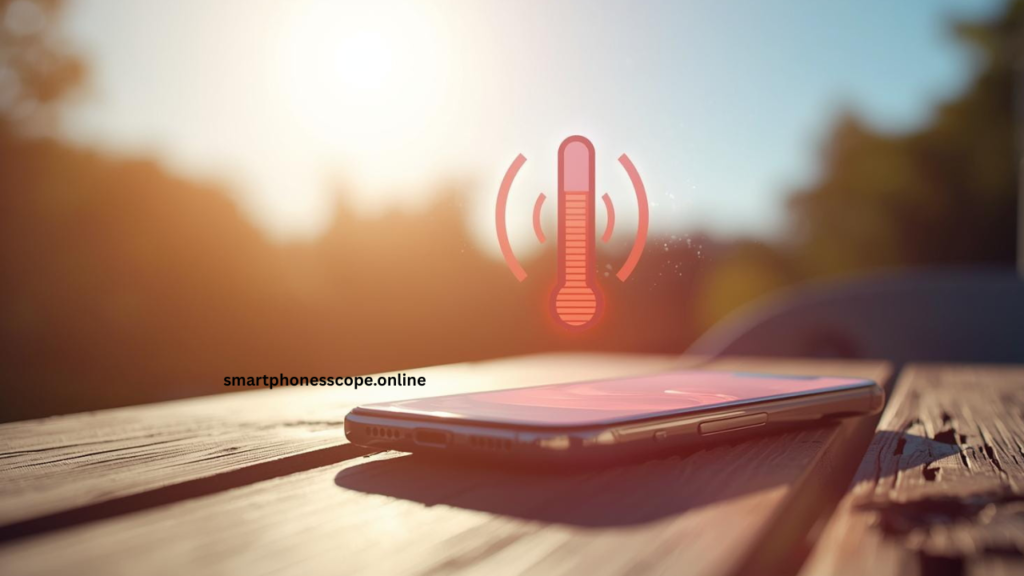
Why Summer Heat Is Dangerous forPhone Battery
Understanding why heat threatens your phone battery starts with knowing how lithium-ion batteries actually work. These batteries power nearly every modern smartphone through a delicate chemical process that converts stored energy into electrical current. Inside your battery, lithium ions move between two electrodes through an electrolyte solution a process that’s highly sensitive to temperature changes.
When exposed to high temperatures, this chemical process accelerates dramatically. Heat causes the electrolyte inside your battery to break down faster, leading to increased internal resistance and reduced capacity. Think of it like cooking food: just as heat speeds up chemical reactions in your kitchen, it does the same inside your phone battery except here, faster isn’t better.
protect Phone battery overheating occurs when temperatures exceed the ideal operating range of 32°F to 95°F (0°C to 35°C). Above this range, every 18°F (10°C) increase can cut your battery’s lifespan by up to 50%. The chemical reactions become unstable, causing permanent damage to the battery’s internal structure. This explains why phones left in hot cars or direct sunlight often suffer dramatic performance drops.
Critical Temperature Thresholds
| Temperature Range | Battery Impact | Risk Level |
|---|---|---|
| 32°F – 95°F (0°C – 35°C) | Optimal performance | ✅ Safe |
| 95°F – 113°F (35°C – 45°C) | Accelerated degradation | ⚠️ Caution |
| Above 113°F (45°C) | Severe damage risk | ❌ Danger |
The lithium-ion protect phone battery heat damage isn’t always immediately visible. Sometimes it’s gradual—you might notice your phone battery holding less charge each week. Other times it’s sudden, with your battery percentage dropping from 60% to 10% in minutes. Either way, the underlying cause is the same: excessive heat disrupting the delicate chemical balance your battery needs to function properly.
Common Phone Battery Problems in Summer
Summer brings a predictable set of battery nightmares that frustrate millions of smartphone users worldwide. Recognizing these issues early can help you take preventive action before permanent damage occurs.
Fast battery draining tops the list of summer complaints. You fully charge your phone battery in the morning, but by noon it’s already at 30%. This happens because heat increases your phone battery’s internal resistance, forcing it to work harder to deliver the same power. The hotter your phone gets, the faster it consumes energy creating a vicious cycle that leaves you constantly searching for a charger.
Phone Battery overheating is perhaps the most alarming symptom. Your device becomes uncomfortably hot to touch, especially around the back where the battery sits. Modern smartphones have built-in thermal protection that throttles performance or shuts down apps when temperatures spike, but this safety feature can’t prevent the long-term damage already occurring inside your battery.
Slow or unstable charging frustrates users who desperately need power. Your phone might take twice as long to charge during hot afternoons, or the charging percentage might fluctuate wildly jumping from 45% to 52% then back to 48%. This instability signals that your battery’s chemical processes are disrupted by heat, making consistent power delivery impossible.
Summer Phone Battery Problem Severity Chart
| Problem | Frequency | Damage Type | Prevention Difficulty |
|---|---|---|---|
| Fast draining | Very Common | Progressive | Moderate |
| Overheating | Common | Immediate & Progressive | Easy |
| Charging issues | Common | Progressive | Moderate |
| Battery swelling | Rare | Critical | Difficult |
The most dangerous problem is phone battery swelling and safety risks. Excessive heat can cause gases to build up inside your phone battery, making it expand. A swollen battery pushes against your phone’s screen or back panel, creating visible bulges. This isn’t just cosmetic swollen batteries can leak, catch fire, or even explode in extreme cases. If you notice your phone’s screen separating from the frame or the back panel bulging outward, stop using it immediately and seek professional help.
These summer phone battery problems don’t just inconvenience you today they permanently reduce your phone battery’s capacity for the future. Every overheating episode accelerates the aging process, meaning your phone holds less charge even after temperatures cool down. That’s why prevention is absolutely crucial during hot weather months.
Keep Your Phone Away from Heat
The simplest yet most effective way to protect your phone battery is keeping it away from heat sources. This fundamental strategy prevents most summer battery problems before they start.
Avoid direct sunlight at all costs. Even 15 minutes of sun exposure can raise your phone’s internal temperature by 20°F (11°C) or more. When you’re outdoors, keep your phone in a bag, pocket, or shaded area. If you’re using GPS navigation while driving, position your phone mount away from windshield areas that receive direct sun. Consider using a sunshade or placing your phone under a cloth when you can’t avoid sunny locations.
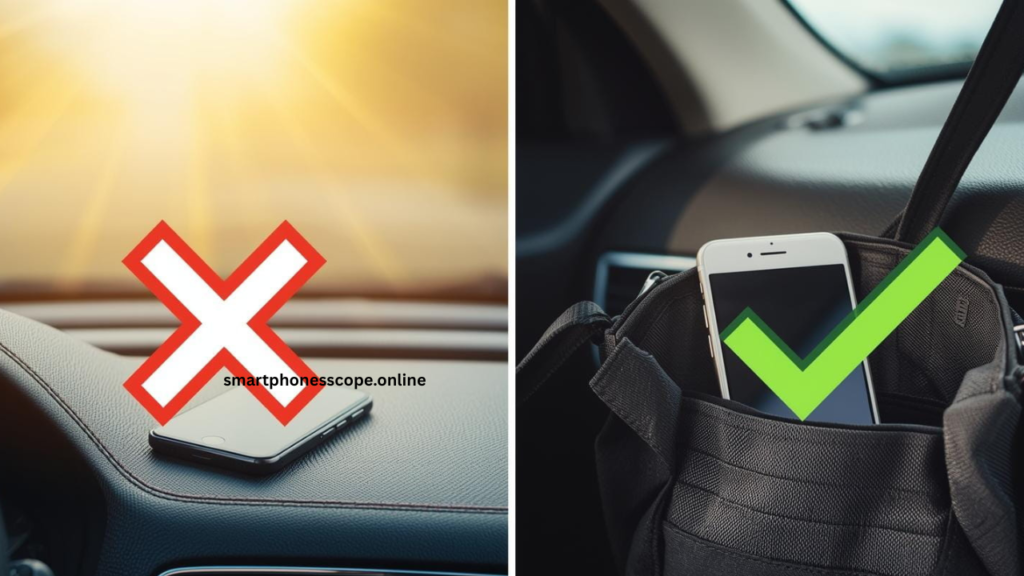
Never leave your phone in a parked car this cannot be stressed enough. On a 95°F (35°C) day, the inside of a parked car can reach 140°F (60°C) within an hour. Dashboard and seat temperatures can exceed 180°F (82°C), hot enough to cause catastrophic phone battery damage in minutes. Always take your phone with you, even for quick errands. Think your car’s cool because the windows are cracked? It’s not. The temperature still climbs dangerously high.
Remove thick phone cases in extreme heat to improve heat dissipation. While protective cases are essential, they also trap heat against your device. During heat waves or when you’re in particularly hot environments, switch to a thinner case or remove it temporarily. Pay special attention to cases made from rubber or thick plastic these materials act like insulators, preventing your phone from cooling naturally.
Safe Phone Storage During Summer Travel
✅ Do This:
- Store phone in air-conditioned spaces
- Use insulated bags when outdoors
- Keep phone in interior pockets close to body
- Place in coolest part of vehicle (lower areas)
- Use phone cooling accessories for gaming
❌ Never Do This:
- Leave on car dashboard or seats
- Place in glove compartment (traps heat)
- Keep in direct sun on beach towels
- Store in non-ventilated bags
- Leave charging in hot rooms
When traveling during summer, plan ahead for phone battery be storage. If you’re going to the beach, bring a small cooler or insulated lunch bag not for your phone directly, but to store it wrapped in a light cloth. This creates a barrier against extreme heat without exposing your device to rapid temperature changes. At theme parks or outdoor events, use locker facilities when available rather than carrying your phone in hot, crowded pockets.
Remember that safe storage tips while traveling extend beyond just temperature. Humidity combined with heat accelerates battery degradation even faster. In tropical or humid environments, keep your phone in sealed plastic bags when not in use to prevent moisture from combining with heat to damage internal components.
Smart Charging Habits for Summer
Your charging habits dramatically impact how well your phone battery survives summer heat. During hot months, standard charging practices that work fine in winter can become battery killers.
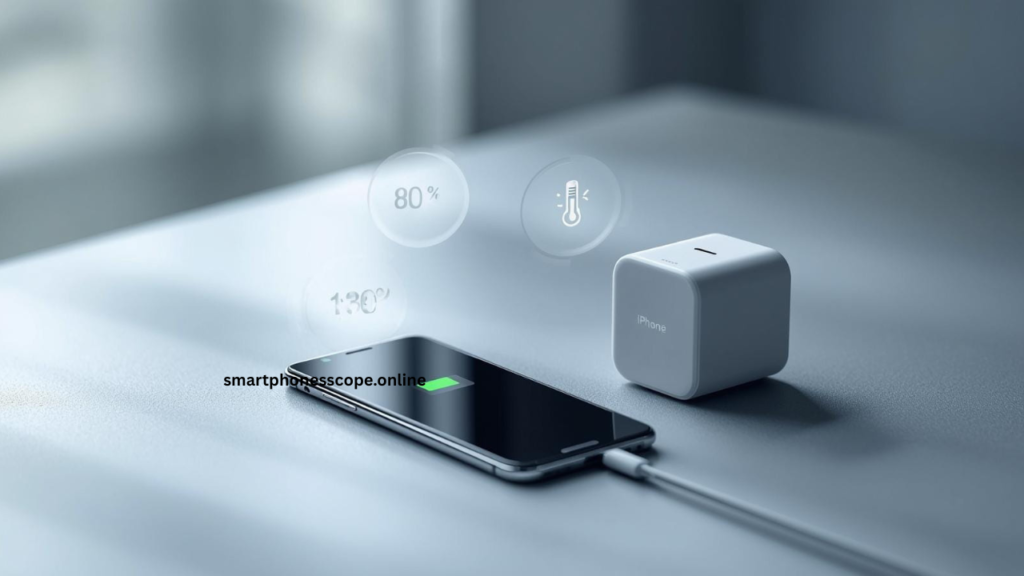
Fast charging: benefits vs risks becomes particularly important in summer. Fast charging generates significant heat your phone can reach 95°F-104°F (35°C-40°C) just from the charging process alone. Add ambient summer temperatures, and you’re pushing into the danger zone. While fast charging is convenient, limit its use during heat waves. Opt for standard charging speeds when possible, especially if your phone already feels warm.
Avoid charging while gaming or streaming video content. These activities make your work hard, generating internal heat. When you charge simultaneously, you’re adding charging heat on top of usage heat a recipe for phone battery damage. Your phone can easily reach temperatures above 113°F (45°C) under these conditions, significantly accelerating battery degradation. If you must charge, close all apps and let your phone rest.
Overnight charging mistakes compound during summer months. Many people leave phones charging all night with cases on, under pillows, or in warm rooms. This keeps batteries at 100% charge while exposed to heat for 6-8 hours—one of the worst scenarios for lithium-ion batteries. Instead, charge your phone before bed, unplug it once full, and place it in a cool, ventilated area overnight.
Optimal Summer Charging Strategy
| Charging Practice | Winter | Summer | Why It Matters |
|---|---|---|---|
| Charge to | 100% | 80% | Reduces heat stress |
| Discharge to | 20% | 20% | Prevents deep discharge |
| Fast charge use | Frequent | Occasional | Limits heat generation |
| Charge timing | Anytime | Cooler hours | Works with ambient temp |
The best charging range for battery health (20%–80%) is especially critical during summer. Keeping your phone battery between these percentages reduces stress on the cells and generates less heat during charging. Yes, this means you won’t have 100% charge, but your battery will last significantly longer overall. Consider this: charging from 20% to 80% generates roughly 40% less heat than charging from 0% to 100%.
How to charge phone safely in summer involves timing strategy too. Charge during early morning or late evening when ambient temperatures are lower. Avoid midday charging when your room or car is hottest. If you’re in an air-conditioned environment, that’s ideal charging time the cool air helps dissipate charging heat naturally.
Implement these phone battery charging tips consistently: Remove your phone case while charging, place it on hard surfaces (never soft surfaces like beds or couches that trap heat), use certified chargers that regulate temperature properly, and check your phone’s temperature periodically during charging. If it feels hot, unplug immediately and let it cool before resuming.
Reduce Heat from Apps and Usage
Your smartphone usage patterns directly contribute to heat generation, especially during summer when every degree matters. Understanding which activities create the most heat helps you make smarter choices about when and how to use your device.
Heavy gaming and video recording issues top the heat generation chart. Modern mobile games push your phone’s processor and graphics chip to their limits, creating intense internal heat. Recording 4K video does the same—your camera sensor, processor, and storage all work simultaneously at maximum capacity. During summer, these activities can raise your phone’s temperature by 15°F-25°F (8°C-14°C) within minutes. Limit gaming sessions to 20-30 minutes, take breaks between matches, and avoid gaming in direct sunlight or hot environments. For video recording, shoot in short bursts rather than long continuous takes.
Close background apps that constantly run without your knowledge. Apps refreshing in the background social media updating feeds, email checking for new messages, weather apps updating forecast all consume processing power that generates heat. Go through your phone’s settings and restrict background activity for apps you don’t need constant updates from. On iPhones, go to Settings > General > Background App Refresh. On Android, go to Settings > Apps > select app > Battery > Background restriction.
Wi-Fi vs mobile data heat comparison reveals interesting insights. Your phone works harder searching for and maintaining cellular connections, especially in areas with weak signal. This constant searching generates more heat than Wi-Fi connections. Whenever possible during summer, connect to Wi-Fi networks. Your phone battery will thank you with both lower temperatures and longer life. In areas with poor cellular reception, consider enabling airplane mode and using Wi-Fi calling instead.
Heat Generation by Activity (Summer Conditions)
| Activity | Heat Level | Duration Warning | Summer Risk |
|---|---|---|---|
| Social media browsing | Low | Safe for extended use | ⚠️ Moderate |
| Video streaming | Moderate | Limit to 1-2 hours | ⚠️ Moderate |
| Gaming (3D) | High | 20-30 min sessions | ❌ High |
| 4K video recording | Very High | 5-10 min segments | ❌ Very High |
| GPS navigation | Moderate-High | Monitor temperature | ⚠️ Moderate |
Limit hotspot usage in hot weather because this feature forces your to work double-duty. When you enable mobile hotspot, your maintains a cellular data connection while simultaneously creating and managing a Wi-Fi network for other devices. This dual workload generates substantial heat, often making your phone uncomfortably warm within 15 minutes. During summer, avoid hotspot use in direct sunlight, limit session duration to 30-minute intervals, and place your phone in ventilated areas while hotspot is active.
Camera usage deserves special mention. While taking photos generates minimal heat, keeping your camera app open constantly (even without recording) keeps sensors active and drains battery. Close the camera app when you’re done shooting. Portrait mode and night mode features require extra processing, creating more heat than standard photos use these sparingly in hot conditions.
Screen-on time is another heat factor. The brighter and longer your screen stays on, the more heat it generates. During summer, reduce screen-on time by using voice commands, enabling auto-screen-off at shorter intervals (30 seconds instead of 2 minutes), and avoiding unnecessary phone checking. Every minute your screen is off is a minute your phone can cool down.
Use Phone Battery Saver and Display Settings
Your phone’s built-in settings offer powerful tools to reduce heat generation and protect phone battery health during summer. Learning to leverage these features effectively can make the difference between a phone that survives summer unscathed and one that needs battery replacement by fall.
Power Saving Mode benefits extend far beyond just saving phone battery percentage. When enabled, this feature limits processor speed, reduces screen brightness, restricts background processes, and disables certain visual effects all of which significantly reduce heat generation. During summer heat waves, consider keeping Power Saving Mode enabled all day, not just when your battery is low. On iPhones, this is Low Power Mode (Settings > Battery). On Android, it’s Battery Saver (Settings > Battery > Battery Saver). The slight performance reduction is barely noticeable for everyday tasks, but the heat reduction is substantial.
Lower screen brightness and auto-brightness settings directly impact both phone battery life and heat production. Your display is one of the biggest power consumers in your phone, and higher brightness means more heat. Manual brightness around 40-60% is typically sufficient for indoor use. For outdoor use in sunlight, increase brightness only when necessary, then immediately reduce it when you move into shade. Auto-brightness helps, but it often sets brightness higher than needed manually adjusting lower than auto-brightness suggests can save significant power and reduce heat.
Dark mode and battery efficiency work together beautifully on phones with OLED screens (most modern smartphones). OLED pixels turn completely off when displaying black, consuming zero power and generating no heat for those areas. Switching to dark mode across your apps and system interface can reduce screen power consumption by 30-60% depending on your usage. This translates directly to lower temperatures. Enable dark mode in Settings > Display on most devices, and choose dark themes for individual apps like email, social media, and messaging.
Display Settings for Summer Heat Protection
Optimal Settings Configuration:
- 📱 Screen brightness: 40-50% indoors, adaptive for outdoors
- ⏱️ Screen timeout: 30 seconds to 1 minute
- 🎨 Dark mode: Enabled system-wide
- 🔆 Auto-brightness: Enabled with manual override when too bright
- 📺 Refresh rate: 60Hz (if your phone offers 90Hz/120Hz options)
- 🌈 Blue light filter: Enabled (reduces processing slightly)
High refresh rate displays (90Hz, 120Hz, or even 144Hz) look incredibly smooth, but they demand more processing power and generate extra heat. During summer, consider dropping to 60Hz refresh rate most phones offer this option in Display settings under “Smooth Display” or “Refresh Rate.” The difference in everyday use is minimal, but the heat reduction over a full day is measurable.
Live wallpapers and widgets consume continuous processing power, creating unnecessary heat. Switch to static wallpapers during summer months. Similarly, reduce the number of widgets on your home screen especially those that update frequently like weather, news, or stock tickers. Each widget requires periodic processing that generates small amounts of heat, which adds up over time.
Always-On Display (AOD) features keep part of your screen active 24/7 to show time, notifications, or other information. While convenient, this generates constant low-level heat. During summer, disable AOD or set it to show only during specific hours. On Samsung devices, go to Settings > Lock screen > Always On Display. On iPhones with AOD, go to Settings > Display & Brightness > Always On Display.
Notification settings also play a role. Each notification wakes your screen and processor momentarily. With dozens or hundreds of notifications per day, this adds up to significant heat generation. Review your notification settings and disable notifications for non-essential apps. Be ruthless—do you really need notifications from every social media app, news outlet, and shopping app?
Use Original Chargers and Accessories
The quality of your charging accessories directly impacts your phone’s temperature during charging a critical factor during summer heat. Cutting corners with cheap alternatives can literally destroy your battery.
Importance of certified chargers and cables cannot be overstated. Original manufacturer chargers are engineered specifically for your phone’s battery chemistry and charging protocols. They include temperature monitoring, voltage regulation, and current control that protect your battery from overheating. Third-party chargers, even if they claim compatibility, often lack these safety features or implement them poorly. During summer when ambient temperatures are already high, this lack of proper regulation can push your phone into dangerous temperature ranges.
Risks of cheap or fake chargers go beyond just slow charging. Uncertified chargers can deliver inconsistent power, causing rapid temperature fluctuations that stress battery cells. Some fake chargers lack overcurrent protection, allowing too much current to flow into your phone battery generating excessive heat and potentially causing fires. Others use substandard components that heat up themselves, transferring that heat directly to your phone. The few dollars saved on a cheap charger could cost you hundreds in battery replacement or device damage.
Look for these certification marks when buying third-party accessories:
- MFi certified (Made for iPhone) – for Apple devices
- USB-IF certified – for USB cables and chargers
- Qualcomm Quick Charge certified – for fast charging
- Power Delivery (PD) certified – for modern USB-C charging
Charger Safety Comparison
| Charger Type | Heat Management | Safety Features | Summer Risk | Recommendation |
|---|---|---|---|---|
| Original OEM | Excellent | Complete | ✅ Minimal | Always best choice |
| Certified 3rd party | Good | Most included | ⚠️ Low | Acceptable |
| Unknown brand | Poor | Limited/None | ❌ High | Avoid |
| Counterfeit | Dangerous | None | ❌ Very High | Never use |
Safe power bank usage during summer requires extra attention. Power banks themselves generate heat while charging your phone, and they can get dangerously hot in summer conditions. Always use power banks from reputable brands with built-in temperature protection. Never leave power banks in direct sunlight or hot cars they can overheat to the point of failure or even catch fire. When using a power bank outdoors in summer, keep it in shade and check its temperature regularly. If it feels hot to touch, disconnect immediately and let both the power bank and your phone cool down.
Position matters when using power banks. Don’t stack your phone directly on top of the power bank while charging this traps heat between both devices. Instead, place them side by side with space between them for air circulation. If possible, prop them up on a hard surface rather than soft materials that insulate heat.
Cable quality affects heat generation too. Damaged or frayed cables increase electrical resistance, converting more energy into heat instead of efficiently transferring power to your battery. Inspect your cables regularly for wear, especially near connection points. Replace cables with exposed wires, kinks, or that feel unusually warm during charging. In summer, even slightly damaged cables can create enough extra heat to push your phone into the danger zone.
Wireless charging deserves special consideration for summer use. Wireless chargers are inherently less efficient than wired charging they generate 30-50% more heat because some energy is lost as heat during the wireless power transfer process. During extreme summer heat, consider switching to wired charging. If you must use wireless charging, remove your phone case, ensure proper alignment on the charging pad, and use it in the coolest part of your home.
Safe Ways to Cool Down an Overheating Phone
When your phone overheats, your immediate response determines whether you prevent damage or make it worse. Many common cooling methods actually harm your device more than help.
❌ Do not put your phone in a fridge or freezer despite how tempting this seems. Rapid temperature changes cause condensation to form inside your moisture that can short-circuit internal components or corrode delicate connections. The extreme cold can also damage the battery chemistry differently than heat does. This “fix” often transforms a temporary overheating problem into permanent water damage.
✅ Stop charging and let it rest should be your first action. Disconnect from power immediately charging generates significant heat, and continuing to charge an already hot phone accelerates damage exponentially. Close all running apps by swiping them away from your recent apps menu. Power off your phone completely if possible this stops all processes and allows maximum cooling. Let it rest for 15-30 minutes in a cool (not cold), dry place.
✅ Place the phone near a fan provides gentle, even cooling without thermal shock. Position your phone 1-2 feet from a regular household fan never directly in front of an air conditioning vent (too cold, too fast). Remove any case to expose maximum surface area. Place the phone on a hard, flat surface like a table or countertop—never on soft surfaces like beds or couches that trap heat underneath. The goal is gradual temperature reduction, not rapid cooling.
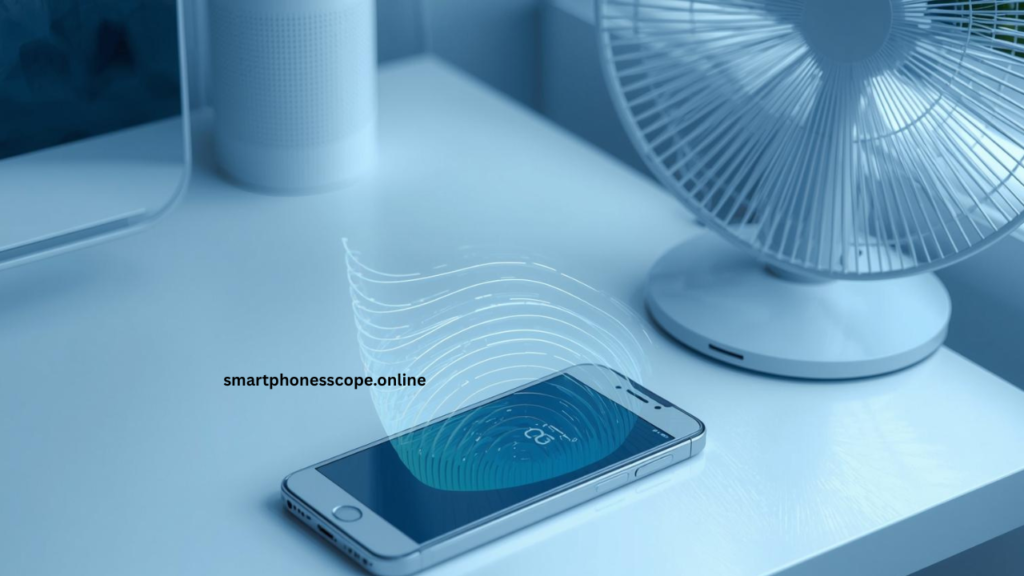
Emergency Cooling Protocol (Step-by-Step)
When your phone feels burning hot:
- Immediately stop all charging and disconnect cables
- Close all apps including background applications
- Remove phone case and any accessories
- Disable mobile data, Wi-Fi, Bluetooth, and GPS
- Turn on airplane mode or power off completely
- Move phone to cool, shaded area with good air circulation
- Wait 20-30 minutes before touching or using again
- Monitor temperature when turning back on—if still hot, repeat process
✅ Turn on airplane mode temporarily is a quick cooling technique when you can’t power off completely. Airplane mode disables all wireless radios cellular, Wi-Fi, Bluetooth, and GPS which are major sources of heat generation. Your phone continues running, but without the power-intensive tasks of maintaining network connections. This allows temperature to drop while keeping your phone accessible for emergency calls (you can selectively re-enable cellular in airplane mode settings).
Some additional cooling strategies that work safely:
Air circulation technique: Prop your phone up using a stand or lean it against something at a 45-degree angle. This creates air flow around the entire device rather than just the front and back. The increased circulation helps heat dissipate more efficiently.
Strategic placement: Identify the coolest room in your home (often basement levels or rooms with good air conditioning) and cool your phone there. Tile or stone surfaces conduct heat away from your phone better than wood or plastic surfaces, though the difference is minimal. Never place on metal surfaces like aluminum laptop stands metal conducts heat but can also trap it.
Gradual approach: If your phone reached dangerously high temperatures (too hot to comfortably hold), allow longer cooling time before attempting to use it again. Resist the urge to check if it’s cooling each time you wake the screen or check temperature, you’re adding a small amount of heat back into the system.
What not to do beyond the fridge mistake:
- Don’t blow directly on your phone your breath is warm and contains moisture
- Don’t place in front of car AC vents while driving too cold, too fast
- Don’t submerge in water or wrap in wet towels moisture damage risk
- Don’t continue using while trying to cool defeats the purpose
- Don’t place in direct path of air conditioning thermal shock risk
Prevention remains better than cure. If you find yourself frequently needing to cool your phone, you’re exposing it to conditions that are causing permanent damage. Adjust your usage patterns, storage locations, or charging habits to prevent overheating in the first place rather than repeatedly shocking your battery with emergency cooling sessions.
Warning Signs of Battery Damage Due to Heat
Recognizing battery damage early can save you from dangerous situations and costly repairs. Summer heat leaves telltale signs that your battery is suffering— ome obvious, some subtle.
Battery swelling or bulging is the most critical warning sign requiring immediate action. A swollen battery physically expands, pushing against your phone’s internal components. You might notice your phone’s screen no longer sitting flush with the frame, or the back panel bulging outward. Sometimes the phone won’t lay flat on a table anymore, rocking when you press corners. Swollen batteries are dangerous they can leak toxic chemicals, catch fire, or explode. If you detect any swelling, stop using the phone immediately, power it off, and take it to a professional repair service. Do not attempt to puncture or compress a swollen battery under any circumstances.
Sudden shutdowns even with battery charge remaining indicate heat-damaged cells. Your phone might show 40% battery, then suddenly power off. When you restart, it might show 10% or even 5%. These dramatic drops happen because heat has degraded certain battery cells, making them unable to deliver consistent power. Your phone’s software reads the overall voltage and estimates charge percentage, but damaged cells can’t maintain that voltage under load—causing unexpected shutdowns during demanding tasks like opening apps, taking photos, or making calls.
Charging percentage jumping erratically signals battery controller confusion. You plug in your phone at 35%, and within five minutes it shows 52%, then drops to 41%, then jumps to 58% all without consistent usage patterns. This happens because heat damage has altered the electrical characteristics of your battery cells. The charging controller can’t accurately measure the battery’s state, resulting in wildly inaccurate percentage readings. This also manifests as the battery taking hours to charge from 80% to 90%, but then jumping from 90% to 100% in minutes.
Critical Battery Damage Indicators
| Warning Sign | Severity | Action Required | Urgency |
|---|---|---|---|
| Phone feels warm normally | Mild | Monitor, improve cooling | Low |
| Battery drains faster than usual | Moderate | Check settings, limit usage | Medium |
| Percentage jumps erratically | Moderate-High | Consider replacement soon | Medium |
| Sudden shutdowns | High | Professional diagnosis needed | High |
| Physical swelling | Critical | Stop use immediately | Emergency |
Other warning signs to watch for:
Longer charging times: If your phone suddenly takes 4-5 hours to charge when it used to take 1-2 hours, heat damage may have increased internal resistance. The battery can’t accept charge as efficiently anymore.
Phone running hot during light use: Checking email or browsing social media shouldn’t make your phone hot. If it does, your battery may be working harder than normal due to heat-induced damage, creating a vicious cycle of heat generation.
Percentage draining in standby: Your phone should lose maybe 5-10% overnight on standby. If you wake up to find it lost 40-50% while you slept, damaged battery cells are leaking power even when the phone is supposedly idle.
Battery health metrics dropping rapidly: iPhones show battery health percentage in Settings > Battery > Battery Health. Android phones have similar features in battery settings or through third-party apps. Healthy batteries degrade about 10-20% per year. If yours drops from 95% to 75% in a single summer, heat damage is accelerating aging.
When to replace your phone battery becomes a critical decision when you observe multiple warning signs simultaneously. Battery replacement is recommended when:
- Battery health drops below 80% capacity
- Phone can’t make it through a normal day without charging
- Experiencing 2+ sudden shutdowns per week
- Any physical swelling is observed
- Phone is 2+ years old and showing moderate damage signs
Professional battery replacement costs $50-$100 for most phones—far less than buying a new device. However, if your phone is showing extreme heat damage (severe swelling, cannot charge, shutting down constantly), replacement might not be safe or possible. At that point, device replacement becomes necessary.
Don’t ignore these warning signs hoping they’ll resolve themselves. Battery damage is progressive—minor issues become major problems quickly, especially as summer heat continues. Early intervention through professional inspection can often salvage a battery with mild heat damage through proper diagnostics and recalibration. Waiting until damage becomes severe leaves no options except replacement.
iPhone vs Android: Summer Battery Care Tips
Both iPhone and Android devices face summer heat challenges, but their different architectures and features require tailored protection strategies. Understanding platform-specific tools helps you maximize battery protection regardless of which phone you use.
iPhone thermal protection features are built deeply into iOS. iPhones have sophisticated temperature monitoring that triggers automatic protections when heat rises. If your iPhone exceeds safe operating temperatures (usually around 113°F/45°C), you’ll see a temperature warning on screen and the device enters thermal throttling mode slowing processor speed, dimming the display, disabling camera flash, and stopping charging until temperature normalizes. iOS also includes “Optimized Battery Charging,” which learns your charging routine and waits to charge past 80% until shortly before you typically unplug. Enable this in Settings > Battery > Battery Health & Charging.
For summer-specific iPhone care:
- Enable Low Power Mode proactively in Control Center or Settings
- Use Battery Health screen to monitor maximum capacity percentage
- Disable Background App Refresh for non-essential apps (Settings > General)
- Turn off Location Services for apps that don’t require it
- Limit Automatic Downloads (Settings > App Store)
- Use Optimized Battery Charging year-round, especially in summer
Android battery optimization options vary significantly by manufacturer, but stock Android offers powerful tools. Android 9 and later include Adaptive Battery that learns which apps you use most and limits battery access for others. Battery Saver mode (Settings > Battery) goes further by limiting background activity, reducing screen brightness, and throttling performance. Many Android phones also offer Ultra Battery Saver modes that disable all but essential functions—perfect for extreme heat emergencies when you need your phone to survive until you reach cooler conditions.
Android-specific summer strategies:
- Enable Adaptive Battery (Settings > Battery > Adaptive Battery)
- Use Digital Wellbeing to identify battery-draining apps
- Restrict background data for heavy apps (Settings > Apps > Data usage)
- Enable Battery Optimization for all non-essential apps
- Use Device Care or similar manufacturer battery management tools
Brand-specific tips (Samsung, Xiaomi, OnePlus) provide additional protection layers beyond standard Android:
Samsung Galaxy devices:
- Enable “Protect phone battery” option (Settings > Battery > More battery settings) which limits charging to 85% to reduce heat stress
- Use “Power saving” mode liberally during summer, which caps CPU speed at 70%
- Samsung’s Game Launcher offers heat management for gaming sessions
- Bixby Routines can automatically enable power saving during hottest hours
- Device Care scans for battery-draining apps and processes
Xiaomi/Redmi devices:
- MIUI’s Battery Saver has three levels: choose Medium or High during heat waves
- Security app’s Battery settings show temperature monitoring
- Turn off ” Battery optimization” exceptions for apps you don’t need constant updates from
- Use “Ultra battery saver” which provides basic functionality while generating minimal heat
- MIUI’s scheduled power on/off can reduce overnight heat exposure
OnePlus devices:
- Optimized Charging learns your pattern and holds charge at 80% until needed
- Gaming Mode includes heat management that throttles performance automatically
- Use “Deep optimization” in Phone Battery settings for aggressive background management
- Enable “Sleep standby optimization” to minimize overnight battery drain
- OxygenOS’s work-life balance features can reduce notifications during hot hours
Platform Comparison for Summer Phone Battery Management
| Feature | iPhone (iOS) | Samsung (Android) | Stock Android | Advantage |
|---|---|---|---|---|
| Automatic heat protection | Excellent | Excellent | Good | iPhone/Samsung |
| User control over charging limit | Limited | Yes (85%) | No | Samsung |
| Battery health monitoring | Built-in | Built-in | App required | iPhone/Samsung |
| Customizable power modes | 1 mode | Multiple modes | Multiple modes | Android |
| App-level battery control | Limited | Extensive | Extensive | Android |
Cross-platform recommendations that work on all devices:
Universal cooling strategies:
- Remove cases during intensive tasks regardless of phone brand
- Use official charging accessories to ensure proper heat management
- Enable dark mode system-wide (available on iOS 13+ and Android 10+)
- Reduce screen refresh rate if your device offers 90Hz+ options
- Schedule automatic updates for cooler nighttime hours
Smart notification management:
- Both platforms let you disable notifications per-app
- Group notifications to reduce screen wake frequency
- Use “Do Not Disturb” or “Focus” modes during peak heat hours
- Disable vibration for notifications (uses more power than sound alone)
The key difference between platforms comes down to control versus automation. iPhones excel at automatic protection with less user intervention needed—iOS manages heat concerns behind the scenes effectively. Android devices, especially heavily customized versions like Samsung’s One UI or Xiaomi’s MIUI, offer more granular control for users who want to micromanage every battery-affecting setting. Neither approach is inherently better; choose strategies that match your comfort level with technology and willingness to actively manage settings.
Regardless of platform, the fundamental physics of battery chemistry remains the same—heat damages lithium-ion batteries progressively and permanently. Platform-specific features simply provide different tools to achieve the same goal: keeping your battery cool enough to survive summer without degradation.
Long-Term Battery Health Tips
Protecting your battery during summer sets the foundation, but maintaining long-term battery health requires consistent habits year-round. These strategies ensure your phone battery remains healthy through multiple seasons and years of use.
Maintain healthy charging cycles by understanding how lithium-ion batteries age. Each charge from 0% to 100% counts as one full cycle. Your battery is rated for roughly 300-500 full cycles before dropping to 80% capacity. However, partial charges don’t add up linearly—charging from 40% to 80% causes less wear than charging from 0% to 40%. This is why the 20%-80% rule matters: keeping your battery in the middle range minimizes chemical stress on the cells. During summer, this becomes even more important because heat amplifies the stress from charge cycles.
Avoid charging to 100% every night. Your phone doesn’t need full charge overnight—that’s just convenience habit. Most people use 20-40% daily, so charging to 80-85% before bed provides plenty for the next day while significantly reducing long-term degradation. Similarly, don’t regularly let your battery drop to 0%. Modern phones don’t suffer from “memory effect” like old batteries did, so the old advice about fully discharging is outdated and harmful.
Keep software updated because manufacturers regularly release battery optimization improvements in system updates. These updates include better thermal management algorithms, more efficient background process handling, and fixes for battery-draining bugs. Enable automatic updates or check monthly for new versions. Security updates often include battery-related fixes too, even when not mentioned in release notes. iOS updates typically arrive for 5+ years on iPhones; Android updates vary by manufacturer but generally provide 2-4 years of major updates plus additional security patches.
Battery calibration updates happen behind the scenes in software updates, improving how accurately your phone measures remaining charge. This doesn’t increase capacity but helps prevent the jumping percentage problems discussed earlier. After major OS updates, give your phone 2-3 charge cycles for the battery management system to recalibrate to the new software.
Store your phone properly if unused for long periods to prevent battery damage during vacations or when switching devices. If you won’t use a phone for weeks or months:
Proper Long-Term Storage Steps:
- Charge battery to 40-60% (not 0%, not 100%)
- Power off completely (don’t just sleep/lock)
- Remove any cases or accessories
- Store in cool (59°F-68°F / 15°C-20°C), dry location
- Avoid direct sunlight and temperature extremes
- Check and recharge to 50% every 3-6 months if stored longer
Storing at 0% charge causes batteries to enter deep discharge state, which can make them permanently unable to hold charge again. Storing at 100% keeps batteries under maximum voltage stress, accelerating chemical degradation even when not in use. The 40-60% range minimizes both risks.
Annual Battery Health Maintenance Calendar
| Season | Primary Focus | Key Actions |
|---|---|---|
| Spring | Post-winter checkup | Update software, review battery health metrics |
| Summer | Heat protection | Implement all summer cooling strategies |
| Fall | Recovery assessment | Check for heat damage, consider replacement if needed |
| Winter | Cold protection | Avoid outdoor use, keep phone warm in pockets |
Additional long-term health practices:
Monthly battery health checks: Review your battery health percentage (iPhone) or use third-party apps (Android) to track degradation over time. Normal degradation is 1-2% per month with regular use. Faster decline indicates problems requiring attention.
Annual deep discharge: Once per year (preferably in spring or fall, not extreme temperatures), let your battery drain to 10-15%, then charge uninterrupted to 100%. This recalibrates the battery management system’s understanding of your battery’s actual capacity, improving accuracy of percentage readings.
App audit quarterly: Every three months, review which apps use most battery (Settings > Battery on both platforms). Uninstall apps you rarely use, especially if they consume significant background battery. Social media apps, streaming services, and location-based apps are common culprits.
Avoid extreme temperature cycling: Beyond just summer heat, winter cold also damages batteries differently. Going from 20°F outdoor cold directly into 75°F indoor heat shocks the battery chemistry. When possible, let your phone gradually adjust to temperature changes rather than rapid shifts.
Professional inspection biennially: Every two years, consider having your phone’s battery professionally tested at an authorized service center. They can detect early degradation patterns and provide maintenance like thermal paste reapplication on battery connections that reduces heat transfer.
The compound effect of these habits is substantial. A phone battery maintained with these practices can retain 85-90% capacity after three years, while a neglected battery might drop to 60-70% in the same timeframe. That’s the difference between a phone that easily lasts a full day versus one that needs multiple daily charges—all from consistent, proactive battery care.
Common Myths About Phone Batteries in Summer
Misinformation about battery care spreads quickly, especially during summer when everyone experiences heat-related battery problems. Let’s debunk the most persistent myths that actually harm your battery rather than help it.
Myth 1: “Putting phone in fridge cools it safely”
The Truth: This is one of the most damaging myths. When you place a hot phone in a cold environment like a fridge, condensation forms inside the device as warm air rapidly cools and water vapor turns to liquid. This moisture can corrode internal connections, short circuit components, and cause permanent damage far worse than overheating. Additionally, extreme temperature changes shock the battery chemistry, potentially creating internal microfractures in battery cells that reduce capacity permanently.
The correct approach is gradual cooling as described earlier—remove from heat source, stop charging, let it rest in a room-temperature environment with good air circulation. Your phone might take 20-30 minutes to cool this way versus 5 minutes in a fridge, but you’ll avoid the catastrophic moisture damage.
Myth 2: “Charging to 100% is best”
The Truth: Consistently charging to 100% actually accelerates battery aging, especially in summer. Lithium-ion batteries experience maximum stress at 100% charge because cells maintain maximum voltage—like holding your breath at maximum lung capacity versus breathing normally. This stress generates heat and causes chemical reactions that degrade battery capacity over time.
The 20%-80% charging range isn’t arbitrary—it’s based on battery chemistry research showing this range minimizes stress on lithium-ion cells. Yes, you get less usable capacity per charge, but your battery maintains that capacity for years longer. Think of it like revving your car engine—you can redline it every time, but the engine won’t last nearly as long as one kept at moderate RPM.
Many modern phones now include “optimized charging” features that learn your habits and hold charge at 80% until shortly before you need the phone. Enable these features and trust them—they’re designed by engineers who understand battery chemistry better than common wisdom.
Myth 3: “Fast charging always damages batteries”
The Truth: Modern fast charging technology is safe when used with proper chargers and in appropriate conditions. Today’s phones include sophisticated charging controllers that regulate temperature, voltage, and current to protect the battery. Fast charging isn’t the problem—fast charging in hot conditions is.
The nuance matters: Fast charging generates heat as a byproduct of pushing more current into the battery. In cool environments (60°F-75°F / 15°C-24°C), this heat dissipates safely and causes no long-term damage. In hot environments (85°F+ / 29°C+), fast charging heat combines with ambient heat to push batteries into dangerous temperature ranges that do cause damage.
The smart approach isn’t avoiding fast charging entirely—it’s using fast charging strategically. Fast charge when you need it in cool conditions, switch to standard charging during summer heat waves or when your phone already feels warm. This gives you the convenience of fast charging without the cumulative heat damage.
Additional Battery Myths Worth Busting
Myth: “You need to let new batteries fully discharge before first charge” Truth: Modern lithium-ion batteries arrive partially charged (40-60%) and don’t require conditioning cycles. Fully discharging actually harms them. Charge normally when you get a new phone.
Myth: “Leaving your phone on the charger overnight destroys the battery” Truth: Modern phones stop charging at 100% and run directly from wall power. The real issue is keeping the battery at 100% for 6-8 hours repeatedly, which does accelerate aging. Use optimized charging features or charge before bed instead.
Myth: “Third-party batteries are always inferior” Truth: While many are low-quality, reputable third-party manufacturers make batteries that meet or exceed original specifications. The key is choosing certified brands with proper safety ratings, not avoiding third-party options entirely.
Myth: “Battery percentage memory effect still exists” Truth: Old NiCad batteries suffered from memory effect requiring full discharge cycles. Lithium-ion batteries don’t have this problem. Regular partial charging is actually healthier than full cycles.
Myth: “Turning off your phone at night saves battery life” Truth: Modern standby modes use negligible power. The stress from daily power cycles (turning on/off) arguably causes more wear than leaving the phone on standby. Power off when you won’t use it for days, not daily.
Myth: “Apps running in background always drain battery fast” Truth: Modern operating systems suspend most background apps effectively. Only specific apps with background permissions (location, refresh) truly drain battery. Closing all apps obsessively provides minimal benefit and makes your phone work harder when reopening them.
Scientific Reality vs Folk Wisdom
| Common Belief | Science Says | Best Practice |
|---|---|---|
| Drain to 0% regularly | Harmful to lithium-ion | Keep between 20-80% |
| Charge to 100% always | Increases stress | Charge to 80-85% normally |
| Remove battery if overheating | Most phones = non-removable | Stop charging, let cool gradually |
| Battery lasts forever if careful | All batteries degrade | Maximize lifespan with proper care |
The bottom line on battery myths: When advice seems extreme or counterintuitive (put phone in freezer! Never charge past 50%! Always drain completely!), it’s probably wrong. Battery care is about moderation—avoiding extremes of temperature, charge level, and usage intensity. The chemistry prefers gentle, consistent treatment over dramatic interventions.
Social media and forums perpetuate these myths because dramatic solutions get shared more than boring truth. “Cool your phone with this crazy trick!” gets more engagement than “Let your phone gradually cool in a shaded area.” But your battery doesn’t care about engagement metrics—it only responds to the physics and chemistry that govern lithium-ion technology.
Trust manufacturer guidelines, scientific research, and the features built into your phone by engineers who designed the battery system. Question advice that contradicts official guidance or involves extreme measures. Your battery’s longevity depends on consistently following evidence-based practices, not viral battery myths.
Conclusion
Protecting your phone battery during summer isn’t just about convenience—it’s about preserving your device’s lifespan and ensuring safety. The comprehensive strategies outlined in this 2026 guide empower you to navigate even the harshest summer conditions without compromising your battery’s health.
Summary of key battery protection tips: Keep your phone away from direct sunlight and never leave it in hot cars where temperatures can reach dangerous levels within minutes. Implement smart charging habits by limiting fast charging during heat waves, avoiding charging while using intensive apps, and maintaining the optimal 20%-80% charge range. Reduce heat generation from apps by limiting gaming sessions, closing background processes, and using Wi-Fi instead of cellular data when possible. Leverage built-in features like Power Saving Mode, reduced screen brightness, and dark mode to minimize heat production. Always use original or certified charging accessories—cheap chargers lack proper temperature regulation and create dangerous heat levels.
Importance of heat control and smart usage extends beyond summer months into long-term battery health. Heat is the single greatest enemy of lithium-ion batteries, accelerating chemical degradation exponentially. Every degree above optimal temperature shortens your battery’s lifespan, making summer the most critical season for battery care. By controlling heat exposure through strategic storage, mindful usage patterns, and proactive cooling, you can prevent the permanent capacity loss that affects millions of phones each summer.
Final advice for long-lasting battery health: Consistency matters more than perfection. You don’t need to implement every tip simultaneously—start with the easiest changes like avoiding direct sunlight and removing thick cases in hot weather, then gradually incorporate additional practices. Monitor your battery health metrics monthly to catch problems early. Remember that batteries naturally degrade over time, but proper summer care can keep your phone performing well for 3-4 years instead of degrading noticeably after just one summer season.
Make battery protection habitual rather than reactive. Don’t wait until your phone overheats to take action—prevent overheating in the first place. Keep these practices going year-round, with extra vigilance during summer heat waves. Your phone represents a significant investment; treating its battery with care ensures you get maximum value from that investment while avoiding the frustration of degraded performance and unexpected shutdowns.
Summer challenges your phone, but with knowledge and consistent application of these evidence-based practices, your battery will survive and thrive through even the hottest months ahead.
FAQs
1. Does heat permanently damage batteries?
Yes, excessive heat causes permanent capacity loss in lithium-ion batteries by accelerating chemical degradation that cannot be reversed.
2. What is the safest temperature for a smartphone battery?
The optimal range is 32°F-95°F (0°C-35°C). Temperatures above 113°F (45°C) cause significant damage rapidly.
3. Is fast charging safe during summer?
Fast charging is safe with certified chargers in cool environments, but should be limited during heat waves to prevent excessive heat generation.
4. Can a phone battery explode due to heat?
While rare, extreme heat can cause batteries to swell, leak, or in worst cases, catch fire or explode. Stop using swollen batteries immediately.
5. How do I know if my battery is damaged by heat?
Warning signs include faster battery drain, sudden shutdowns, erratic percentage readings, physical swelling, and longer charging times.
6. Should I turn off my phone when it overheats?
Yes, power off completely, remove from heat source, take off case, and let it cool gradually in a ventilated area.
7. Does closing background apps save battery in summer?
Yes, background apps generate heat and drain battery. Close unnecessary apps to reduce both issues significantly.
8. Can I use my phone while charging in summer?
Avoid intensive tasks while charging as this combines charging heat with usage heat, creating dangerous temperatures quickly.
9. How often should I charge my phone to 100%?
Rarely keep charges between 20-80% normally. Full charges stress the battery, especially in hot conditions.
10. Do phone cases make overheating worse in summer?
Yes, thick cases trap heat against your device. Remove or use thinner cases during hot weather for better heat dissipation.
11. Is wireless charging worse than wired in summer?
Yes, wireless charging generates 30-50% more heat due to energy loss. Use wired charging during summer when possible.
12. What temperature triggers iPhone/Android heat warnings?
Most phones trigger thermal warnings around 113°F (45°C) and automatically limit functionality until temperature normalizes.
13. Can I fix battery damage from summer heat?
Permanent capacity loss cannot be reversed. Prevention is essential—once damaged, only battery replacement restores full capacity.
14. Should I refrigerate my phone on hot days?
Never refrigerate your phone. Rapid cooling causes condensation inside the device, potentially causing worse damage than heat.
15. How long do phone batteries last with proper summer care?
With consistent heat protection and smart charging habits, batteries can maintain 85-90% capacity after 3 years versus 60-70% without care